
A self-empty dock stops you emptying a bin every run. It does not stop you cleaning the brush or the filter, which is the job that actually costs time. That distinction is the whole answer to whether the feature is worth paying for: it removes a thirty-second task a few times a week, and leaves the two tasks that clog.
The models below are the eight highest-scoring robots in our catalogue. Every one of them ships with a self-empty dock, which is why this page filters on the feature at all — and why it cannot tell you which dock is best from our own data. What it can do is explain what the dock changes, where it fails, and when a cheaper robot without one is the better purchase.
What does a self-empty dock actually do?
When the robot returns to its base, the dock pulls the debris out of the robot's bin through a hose into a larger container — either a sealed bag or a second, bigger bin. You then deal with that container every few weeks instead of with the robot's bin every run.
What changes is frequency, not the work itself. Someone still has to replace the bag or empty the container. Someone still has to clear the brush roll and rinse the filter, and those two jobs run on the same schedule with or without a dock.
Self empty, auto empty, self empty base, or empty station: are they the same thing?
Yes. All four phrases describe the same hardware, and the words you use decide which pages you find, not which robot you need. A self empty or self emptying robot vacuum, an auto empty one, a model with a self empty base or self empty station, and a robot that simply self empties are all a robot whose dock pulls the debris out of the bin for you. Manufacturers switch between the spellings as a branding choice — our own catalogue uses both — and no specification field changes with them.
| Phrase you may see | Same thing? | Where the wording comes from |
|---|---|---|
| Self empty / self emptying robot vacuum | Yes | The most common shopper phrasing; hyphenated and spaced versions mean the same |
| Auto empty robot vacuum | Yes | Manufacturer wording for the same dock cycle; used by Dreame and Roborock in our catalogue |
| Self empty base / self empty station / empty station | Yes | Names the dock rather than the robot; some models call the whole base a station |
| Robot vacuum that self empties | Yes | Same feature, written as a verb |
| Self cleaning robot vacuum | No — check what it claims | Often means the mop is washed on the dock, not that the dust bin is emptied. Ask which bin is emptied. |
| Bagless self emptying robot vacuum | Yes, with a catch | Still self-emptying; the dock collects into a bin instead of a bag. Covered in the bag-versus-bagless section below. |
Two of these are worth slowing down for. “Auto empty” and “self empty” are genuinely interchangeable, so do not pay more for one wording. “Self cleaning” is not a synonym: on this page's shortlist most models wash their mop on the dock, and the mop wash has nothing to do with how often you touch the dust bin.
The practical consequence: if you have been searching one phrasing and landing on pages that seem to be about something else, the feature you want probably exists under another name. Compare the two bins, not the two words.
How often do you have to empty it?
The honest answer is: more often than the marketing implies, and it depends on how much the robot picks up. The dock's container holds several robot-bins' worth of debris, so a home with hard floors and no pets empties it far less often than a home with two shedding dogs on carpet.
This site does not publish a days-per-empty figure for each model, because the manufacturers state dock capacity inconsistently and the real interval depends on your floors rather than on the spec. Check the bag or bin capacity on the model's own page before assuming a month between empties.
Do you still have to clean the brush and filter?
Yes, and this is where buyers are most often disappointed. The dock empties the bin. It does not touch the brush roll, the side brushes, or the filter.
| Job | Dock does it? | What that means for you |
|---|---|---|
| Emptying the robot's bin | Yes | The daily thirty-second task disappears |
| Replacing the dock's bag or emptying its container | No | Rarer, but still yours |
| Clearing the brush roll | No | Hair still wraps the roller; check it weekly |
| Rinsing or replacing the filter | No | Filters still run 2 to 3 months |
| Cleaning sensors and charging contacts | No | Docking reliability still depends on them |
Four of the five upkeep jobs stay with you. A dock buys back the smallest one.
Which models in this catalogue have a self-empty dock?
Every model in our catalogue currently ships with a self-empty dock, so the useful comparison is not whether a robot has one — it is what the rest of the machine is like at that price. This table groups the shortlist by what else you get, because that is what actually varies.
| Tier | What usually comes with it | Who it suits |
|---|---|---|
| Entry | A working dock, basic scheduling, simpler navigation | Hard floors, no pets, one level |
| Mid | LiDAR navigation, stronger suction, better pet-hair handling | Mixed floors with a pet or a rug |
| Premium | Obstacle avoidance, edge-cleaning mop arms, wash-and-dry docks | Large homes, shedding pets, mopping every day |
Tier labels come from our catalogue data; the features listed are the ones that distinguish the tiers in it, not a claim about any single model.
The buying guide covers how to choose between these tiers by budget, and the pet-hair shortlist shows the same question answered for a household where the bin fills fastest.
Which shortlist models are the self empty base, auto empty kind — and what else does the dock collect?
A dock can pull out more than dust. The models on this shortlist differ in what they take off your hands, and that difference matters more than the emptying cycle itself: a dock that also washes and dries the mop removes the one job that is messier than emptying a bin. The table below maps what each of the eight states in its own listing.
| Model | Tier | Price at last check | Dust emptying stated | Mop care stated |
|---|---|---|---|---|
| Roborock Saros 20 | Flagship | $1,599.99 | Self-empty dock | Hot-water mop washing |
| Roborock Saros 10R | Flagship | $1,299.99 | Self-empty dock | Wash-and-dry dock |
| Dreame X60 Max Ultra Complete | Flagship | $1,614.99 | Auto-empty dock | Not stated in the listing |
| Dreame X50 Ultra | Flagship | $999.99 | Auto-empty dock | Not stated in the listing |
| Dreame L60 Pro Ultra | Flagship | $1,400.17 | Self-empty dock | Self-cleaning dock (stated) |
| Roborock Qrevo Curv 2 Flow | Flagship | $999.99 | Self-empty dock | Hot-water self-cleaning |
| Roborock Qrevo CurvX | Premium | $799.99 | Self-empty dock | Self-washing dock |
| ECOVACS DEEBOT T90 PRO Omni | Flagship | $549.00 | Self-empty dock | Self-cleaning roller mop |
Prices are the figures in our catalogue at the last check and change regularly — confirm on the retailer page before deciding. Tier labels and the “stated” columns come from each model's own listing text, not from our own measurement; where a listing says nothing about mop care we say so rather than infer it from the price. Ranking above follows editorial score, not this table.
Two patterns are worth reading out of it. First, the cheapest model here ($549) states mop washing while two models near $1,000 do not state it at all, which is a reminder that dock features do not map cleanly onto price. Second, every listing in this table does describe dust emptying, while mop care is the field most often left blank — so mop care is the one to confirm on the retailer page rather than assume.
Bagless models are the exception worth naming separately. The Yeedi C12 Plus in our catalogue states a bagless bin with a seven-week capacity rather than a dock emptying into a bag, which is the right shape of purchase if you never want to buy bags — but you empty it yourself. The under-$500 shortlist is where that trade-off is easiest to see against the dock models.
Is a self-empty robot vacuum worth it?
It is worth it when the reason you stopped using your last robot was the bin. In a pet household the bin fills within a run or two, and a full bin stops picking up hair while the robot keeps driving — a failure you do not notice. There, the dock removes the failure mode, not just the chore.
It is harder to justify on hard floors with no pets. The bin takes days to fill, the emptying is quick, and the extra cost buys nothing you will feel. The money is better spent on navigation, because a robot that gets stuck stops cleaning entirely.
One more case is worth naming: if you will still have to rescue the robot from cables and clear its brush every week, the dock does not change whether you keep using it. Decide that first.
How much floor space does a self-empty dock need?
A self-empty dock is furniture, and most listings never state its footprint. Two docks we could find published dimensions for differ by more than 20 cm in height, which is the difference between fitting under a worktop and not.
| Dock | Width x depth x height | What that means in a room |
|---|---|---|
| Roborock Qrevo Curv | 45 x 45 x 45 cm | A square footprint roughly the size of a bedside table; low enough to sit in the open without dominating a wall. |
| Dreame L40 Ultra | 45.7 x 34 x 59.1 cm | Narrower front-to-back but 14 cm taller, so it needs vertical clearance a splashback or low shelf would block. |
Both figures are the manufacturers' own published specifications. The practical rule: measure the wall where the dock will live and subtract 10 cm from the available depth, because the robot needs room to drive in and out, and a dock pushed flush against a skirting board can fail to seat the robot. Roborock's own documentation asks for extra space on refill-and-drainage versions to route water lines, so a plumbed installation needs more clearance than the dry dock.
What we could not verify: neither manufacturer publishes a single clearance number that applies to every home, and we have not measured docking reliability against a wall at different gaps ourselves.
What does a self-empty dock cost to run each year?
Bags are the one recurring cost a self-empty dock adds, and it is small enough that it should not decide the purchase — but it is not zero, and no listing states it.
| Item | Published figure | Source |
|---|---|---|
| Dreame L40 Ultra bag size | 3.2 L | Dreame specification via The Ambient review |
| Dreame replacement bags | About two months per bag; replacements $15 for a pack of three | Same review |
| Dreame bags, per year | Six bags, so two packs, roughly $30 a year | Derived from the two figures above |
| Roborock Qrevo Curv bag size | 2.5 L to 2.7 L | RTINGS, which quotes both figures from Roborock's own material |
Two points follow. First, the annual bag cost is in the same range as a set of filters and a brush roll — it is maintenance, not a subscription. Second, the two Roborock figures do not agree with each other, which is a reminder that a stated capacity is a marketing number until you measure a full bag. We have not weighed a full bag on any model, so we do not publish a days-per-bag figure of our own.
Does a bigger bag actually mean emptying it less often?
Not reliably, because what fills a bag is not the dust you can see. Three things decide how long a bag lasts, and only one of them is the bag.
| Factor | Effect on bag life | Can you control it? |
|---|---|---|
| Floor area cleaned per run | The dominant factor. A 3.2 L bag in a large home can fill faster than a 2.5 L bag in an apartment. | Yes, through run frequency |
| Pets and long hair | Hair and dander are bulky per gram, so a bag fills by volume long before it is heavy. | Partly, through the brush roll |
| Bag size | Matters, but only after the first two. | Set by the dock you buy |
The honest answer is that the manufacturers' "up to 60 days" style claims are best-case numbers for a small, pet-free home. A household with a shedding dog should expect to change the bag more often than the box says, and should weigh bag cost against convenience rather than treating the stated interval as a schedule.
Which is better, a bag or a bagless container?
A bag seals the debris, so emptying is cleaner and fine dust does not blow back into the room — which matters if anyone in the house reacts to dust. The trade is that you buy bags and have to keep them in stock.
A bagless container costs nothing to run but means tipping it out, and that is the moment dust escapes. For a household without sensitivities the difference is small; for one with allergies it is the deciding factor, and it usually outweighs the running cost.
How do I tell whether a self empty base will actually fit my home before I buy?
Four checks decide it, and three of them are about your home rather than the robot. None of them requires trusting a manufacturer's emptying-interval claim.
| Check | What to do | Why it decides the purchase |
|---|---|---|
| Bin fill rate | Note how much debris your current vacuum collects in a week, and whether you have shedding pets or carpet | This is what determines how often the dock needs attention — not the stated interval |
| Dock wall | Measure the wall, subtract 10 cm of depth, and check height against any worktop or shelf | A dock that does not fit, or is shoved flush against a skirting board, fails to seat the robot |
| Bags or no bags | Decide whether you will keep bags in stock and pay roughly $30 a year, or tip a container instead | This is the only recurring cost and the only recurring dust exposure the dock adds |
| Mop care | Read the listing for whether the dock washes the mop, or plan to wash it yourself | On a mopping model this is the messier job the dock can take over — and the most often left unstated |
If the answer to the first check is “the bin takes days to fill,” a dock is the wrong place to spend the difference. Put it into navigation instead; a robot that reaches and returns from the far corner of the room cleans more than one that empties itself but stalls at a cable. Our mapping guide explains what navigation buys in practice.
If the answer is “the bin fills within a run or two,” the dock is worth it and the remaining question is only which dock. In that case the two specs that matter are the ones no listing states consistently — bag capacity in litres, and whether the chute can pass long hair — so treat both as things to confirm from a review rather than from a spec sheet.
Why is my self-emptying robot not emptying?
The failure is almost always the connection, not the motor. Work through these in order before assuming a fault:
- The bag or container is full. Many docks stop pulling once full and report it only in the app.
- The robot is not docking properly. Dirty charging contacts or a dock that has shifted mean the robot stops short, and the empty cycle never starts.
- Something is blocking the chute. Long hair and large debris catch at the opening between bin and hose.
- The dock lost power. A dock on a switched outlet or a loose plug will charge nothing and empty nothing.
Our maintenance guide covers the general checklist, and the battery guide covers the contact-cleaning step in more detail.
Who this guide is for — and who it is not
A page that claims to suit everyone suits nobody. Here is the line, stated plainly.
| This guide fits you if | It does not if |
|---|---|
|
|
Frequently asked questions
What is a self-empty robot vacuum?
Do I still need to clean the brush and filter?
How often do you empty a self-emptying robot vacuum?
Is a self-empty dock worth the extra cost?
Bag or bagless container: which is better?
Why is my robot not emptying into the dock?
Does a self-empty dock work without wifi?
Is a self empty base the same as an auto empty dock?
What does self empty mean on a robot vacuum and mop?
The eight picks, in order
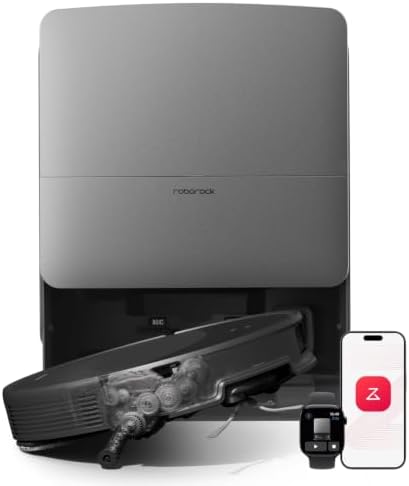
Roborock Saros 20
- 36,000Pa suction, a slim chassis, and hot-water mop washing for demanding homes.
- Best for mopping, self-emptying, large homes.
- Flagship pick at $1,599.99.
Why shortlist it: its catalog use-case tags point to mopping, hard floors, self-emptying, and its Flagship tier and 9.5/10 editorial score show where it fits in this lineup.
Read full review ›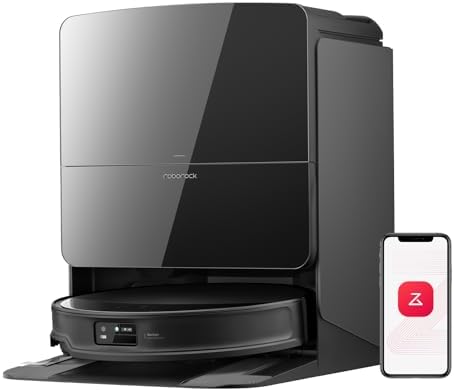
Roborock Saros 10R
- 22,000Pa suction with flagship obstacle avoidance and a wash-dry dock.
- Best for mopping, self-emptying.
- Flagship pick at $1,299.99.
Why shortlist it: its catalog use-case tags point to mopping, hard floors, self-emptying, and its Flagship tier and 9.4/10 editorial score show where it fits in this lineup.
Read full review ›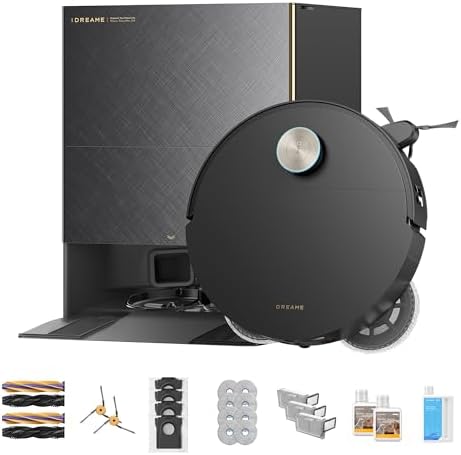
Dreame X60 Max Ultra Complete
- Dual AI cameras, 35,000Pa suction, and an ultra-thin design for low spaces.
- Best for mopping, self-emptying, large homes.
- Flagship pick at $1,614.99.
Why shortlist it: its catalog use-case tags point to mopping, hard floors, self-emptying, and its Flagship tier and 9.4/10 editorial score show where it fits in this lineup.
Read full review ›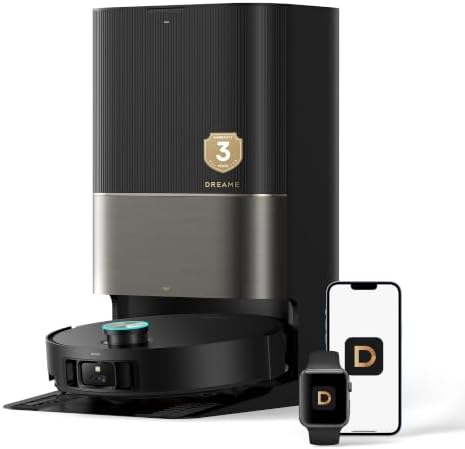
Dreame X50 Ultra
- Auto-empty, swing mop for edges, and top-tier navigation.
- Best for mopping, self-emptying.
- Flagship pick at $999.99.
Why shortlist it: its catalog use-case tags point to mopping, hard floors, self-emptying, and its Flagship tier and 9.3/10 editorial score show where it fits in this lineup.
Read full review ›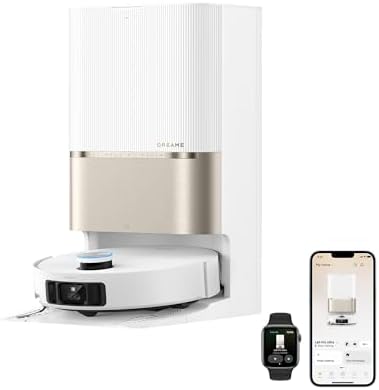
Dreame L60 Pro Ultra
- 35,000Pa suction, 8.8cm obstacle crossing, and a VersaLift dock.
- Best for mopping, self-emptying, large homes.
- Flagship pick at $1,400.17.
Why shortlist it: its catalog use-case tags point to mopping, hard floors, self-emptying, and its Flagship tier and 9.2/10 editorial score show where it fits in this lineup.
Read full review ›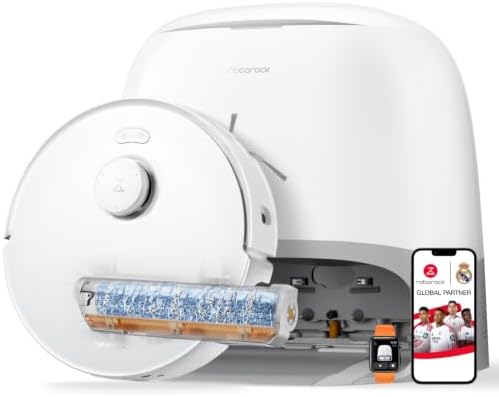
Roborock Qrevo Curv 2 Flow
- A roller-mop flagship with real-time self-cleaning, hot-water washing, and obstacle avoidance.
- Best for mopping, self-emptying, large homes.
- Flagship pick at $999.99.
Why shortlist it: its catalog use-case tags point to mopping, hard floors, self-emptying, and its Flagship tier and 9.1/10 editorial score show where it fits in this lineup.
Read full review ›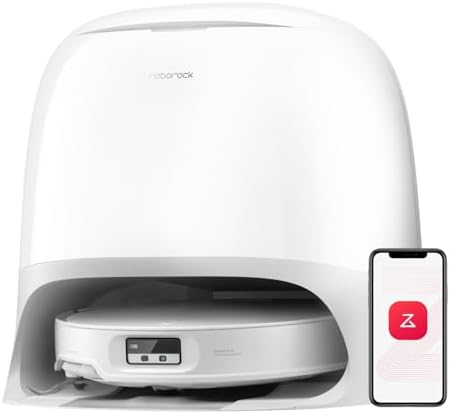
Roborock Qrevo CurvX
- 22,000Pa suction, an ultra-slim chassis, and a self-washing mop dock.
- Best for mopping, self-emptying.
- Premium pick at $799.99.
Why shortlist it: its catalog use-case tags point to mopping, hard floors, self-emptying, and its Premium tier and 9.0/10 editorial score show where it fits in this lineup.
Read full review ›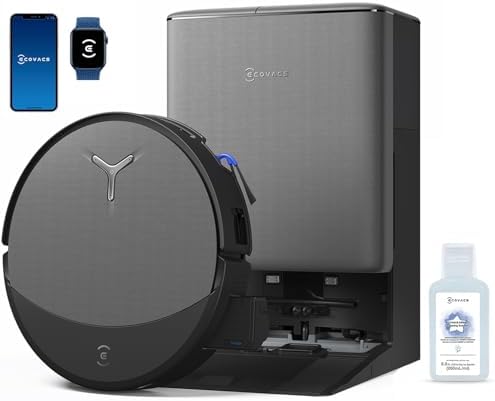
ECOVACS DEEBOT T90 PRO Omni
- 30,000Pa suction with a self-cleaning OZMO roller mop and a hands-free Omni station.
- Best for mopping, self-emptying.
- Flagship pick at $549.00.
Why shortlist it: its catalog use-case tags point to mopping, hard floors, self-emptying, and its Flagship tier and 9.0/10 editorial score show where it fits in this lineup.
Read full review ›Sources and what we did not measure
This page is built from the catalogue facts on each model page — price, editorial score, stated use cases — and from the manufacturer specifications linked below. We do not run a laboratory, so no number here is presented as our own measurement. Where a figure belongs to a manufacturer, it is attributed to them.
- Dreame X50 Ultra — manufacturer specification
- Dreame L60 Ultra PE — manufacturer specification
- Dreame L40 Ultra — manufacturer specification
- Dreame D30 Ultra — manufacturer specification (auto-empty dock wording)
- Eufy Omni C20 (T2351) — manufacturer specification
- Roborock — manufacturer range (us.roborock.com)
- Yeedi — manufacturer range (yeedi.com)
- Roborock Qrevo Curv — dock and dust bag capacity, via RTINGS review
- Dreame L40 Ultra — dock dimensions, bag size and replacement price, via The Ambient review