
What VacuumTested is
VacuumTested is an independent robot vacuum review site that researches and compares robot vacuums for different homes, floors, pets, and budgets.
Guide facts
- Guide type
- Informational buying and maintenance guidance
- Audience
- Robot vacuum owners and buyers
- Evidence standard
- Published testing methodology and model-level review data
How to use this page
- Start with the section that matches your question or household situation.
- Use the linked reviews and best-of lists to compare specific models.
- Recheck current product details before acting on time-sensitive information.
Product examples
What these features look like
These current catalog examples show the product types discussed on this page. Use the linked reviews to check model-specific scores, use cases, and trade-offs.
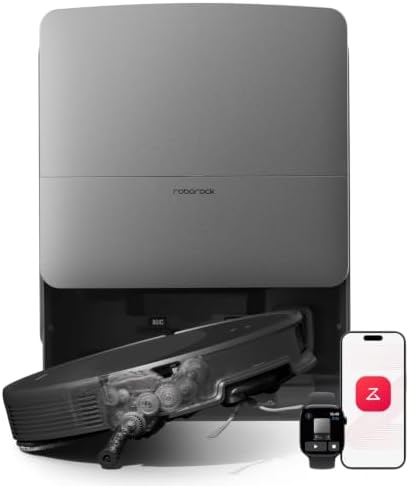
Roborock catalog example
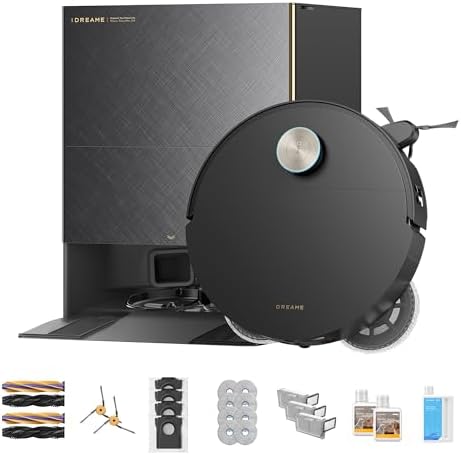
Dreame catalog example
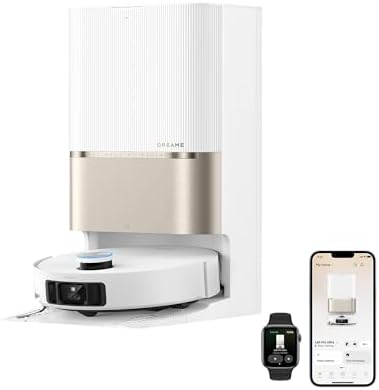
Dreame catalog example
Robot vacuum mapping is how a robot builds a floor plan of your home so it can clean in systematic runs and remember where rooms, no-go zones and the dock are. Three sensor types do that job — LiDAR, camera (vSLAM) and gyro — and the difference decides whether you get room-by-room cleaning or just a wandering robot.
Evidence note: This page describes how each navigation type works and what it enables. The model tags below come from our own catalog entries and each manufacturer's published product page; VacuumTested has not run side-by-side navigation trials, so we do not attach mapping accuracy figures. Prices change — check the current figure on the linked review before deciding.
What does a robot vacuum map actually do?
A map is a stored floor plan the robot positions itself against while it cleans. It is not a souvenir of where the robot has been — it is the reason the robot can divide a floor into rooms, run in straight lines, resume where it stopped, and refuse to enter an area you defined. Without a saved map, a robot still vacuums, but it cannot be told where.
Three things follow from having one, in order of how much they change daily use:
- Systematic coverage. The robot tracks what it has already crossed instead of hoping a random bounce covers the floor.
- Room-level control. Clean the kitchen only, or the hallway twice, without moving furniture.
- Zones and boundaries. A rectangle you draw in the app can be cleaned separately or blocked entirely.
What are the types of robot vacuum navigation? What is the difference between LiDAR and camera mapping?
LiDAR mapping measures distance with a spinning laser and builds a precise geometry map; camera mapping recognises visual features and obstacles but needs light to do it. That is the practical difference: LiDAR is strong on floor plan accuracy and weak on recognising what an object is, camera systems are the reverse.
| Navigation | How it maps | What it is good at | Where it falls short |
|---|---|---|---|
| LiDAR | A spinning laser measures distance to walls and objects, producing a geometric map | Accurate, repeatable floor plans; works in the dark; fast coverage of large floors | Knows an obstacle is there, not what it is — so cables and pet waste are not reliably identified |
| Camera (vSLAM) | Camera frames are compared to recognise landmarks and obstacles | Obstacle recognition — it can be trained to avoid shoes, cables or pet waste | Needs light; can struggle in dark rooms or under furniture; more compute, so usually a premium tier |
| Camera plus LiDAR | Both sensors combined on one robot | Plan accuracy and object recognition together | Highest price tier; the extra capability is only useful if those obstacles are your problem |
| Gyroscope (no map) | Angular and acceleration sensors track direction and distance travelled | Cheap, simple routing; far better than random bounce | Drifts over distance; no saved rooms; systematically placed furniture can trap it |
| Bump and random | No mapping; the robot changes course when it hits something | Lowest cost; adequate for one open room | No coverage guarantee; slowest in multi-room homes |
Sensor descriptions are generic to the technology, not measurements of any model we track. Robots combine these systems with different software, which is why two LiDAR robots can behave differently in the same room.
What can a robot vacuum do with a map that it cannot do without one?
A saved map unlocks room-by-room cleaning, no-go and no-mop zones, multi-floor plans, recharge-and-resume, and app-based order of cleaning. A robot without a map runs a job, not a plan: you can start it, schedule it, or use a remote, but you cannot ask it to skip the bedroom.
| Capability | Needs a saved map? | What it means day to day |
|---|---|---|
| Room-by-room cleaning | Yes | Clean only the kitchen after dinner instead of the whole floor |
| No-go zones | Yes | Block a pet bowl, a cable nest or a child's play mat without a physical barrier |
| No-mop zones | Yes | Keep a combo robot from dragging a wet pad onto a rug |
| Multi-floor plans | Yes | Save one plan per level rather than re-mapping each time you carry it upstairs |
| Recharge and resume | Usually | Return mid-job on a large floor and continue where it stopped instead of starting over |
| Cleaning order | Yes | Vacuum before mopping, or clean the furthest room first so heavy traffic zones come last |
| Zone or spot cleaning | Yes, for drawn zones | Send the robot to a rectangle of crumbs instead of the whole room |
| Scheduled whole-floor runs | No | Works on non-mapping robots — a schedule is a timer, not a plan |
| Physical start button, remote control | No | Works on non-mapping and non-connected robots alike |
Exact menu names differ by brand and app version. Check the current manual for what your model exposes; a feature appearing in a listing does not guarantee it is enabled in every firmware build.
Which mapping type do you actually need?
Match the navigation type to the shape and size of your home before you look at suction or dock features. A more capable sensor does not fix a floor plan that does not need it, and it does not compensate for a dock you have no space for.
| Your home | Navigation that fits | Why | What to skip |
|---|---|---|---|
| One room or studio, mostly open floor | Gyro is enough; LiDAR is a nice upgrade | There are few rooms to divide and few crossings to optimise | Camera-plus-LiDAR flagships |
| Apartment with several rooms, hard floor | LiDAR | Room selection and no-mop zones are what make a combo robot usable | Cameras as the only sensor |
| Two or more levels | LiDAR with multi-map support | Each level needs its own saved plan or you re-map every trip | Single-map models |
| Carpet everywhere, no rugs to protect | LiDAR | Coverage matters more than zone control | Paying a premium for mopping features |
| Cables, pet waste, socks on the floor | Camera or camera plus LiDAR | Object recognition avoids what a geometry map only sees as an obstacle | LiDAR-only models, then pick up before every run |
| Dark rooms and furniture with low clearance | LiDAR | It does not depend on lighting | Camera-only models |
How the layout of your home changes the answer
Two homes of the same size need different robots. What matters is how many separate rooms the floor has, how many doorways the robot has to cross, and whether you want it to stop somewhere specific.
- Open plan: fewer doorways means less for a gyro robot to get wrong. This is the layout where a cheaper navigation system is least penalised.
- Closed floor plan: every doorway is a decision point. A robot with a map can finish a room before moving on; one without tends to follow walls and re-enter rooms it has already done.
- Long narrow rooms: straight-line coverage shows its value most here — a random-path robot spends a disproportionate amount of its runtime on the same strip.
- Multiple levels: navigation has to handle being carried. Saved multi-floor plans are a software feature, not a sensor one, so check it explicitly rather than assuming it from a LiDAR badge.
What a map does not fix
Mapping improves where a robot cleans, not how well it picks up. A perfectly planned route over a matted brush and a clogged filter leaves the floor dirty, and no navigation system compensates for a bin that is already full. If pickup has dropped on a robot you own, the fault is almost always mechanical — our guide to a robot that is not picking up dirt covers the checks in order.
Two limits are worth knowing before you buy on navigation alone. First, object recognition is not obstacle immunity: a cable thin enough to sit below the sensor line can still be swallowed. Second, a saved map is only as good as the day you built it — move the sofa and the first run is improvised until the robot re-maps.
Which models in our catalog use which navigation?
The table below groups current catalog examples by the navigation type described in each listing. It is an example set, not a definitive classification of every model a brand sells — manufacturers change hardware between product generations under similar names, so confirm the sensor in the current specification before buying.
| Model | Catalog score | Tier | Navigation noted in the listing |
|---|---|---|---|
| Roborock Q7 M5 | 8.1 | Budget | LiDAR with a self-empty dock |
| Roborock Q7 M5 Plus | 8.3 | Budget | LiDAR with a self-empty dock |
| Roborock Q7 M5 Plus White | 8.3 | Budget | LiDAR, same platform in a white finish |
| Dreame D20 Pro Plus | 8.6 | Mid-range | LiDAR mapping on a detangling brush platform |
| Dreame L40s Ultra AE | 8.8 | Mid-range | AI obstacle avoidance |
| Roborock Saros 10R | 9.4 | Flagship | Flagship obstacle avoidance |
| Dreame X60 Max Ultra Complete | 9.4 | Flagship | Dual AI cameras |
| Roborock Saros 20 | 9.5 | Flagship | Routing reliability implied by the tier; sensor not named in the listing |
| Eufy 11S MAX | 8.2 | Budget | Simple navigation with a remote; no mapping advertised |
| Yeedi C12 Plus | 8.0 | Budget | No mapping advertised; packing a long-life bin instead |
Scores are VacuumTested editorial ratings from the catalog, not laboratory results. Blank where the manufacturer listing does not state the sensor — we do not infer it. Confirm on the current product page, and check the price there because it changes.
Where the specification is published
Sensor type and mapping features are stated per model by the manufacturer, so the product page is the place to verify before you commit. These are the ranges we track, and the specific listings our catalog pages cite:
- Roborock Saros 10R — manufacturer product page
- Dreame X50 Ultra — manufacturer product page
- Dreame L10s Pro Ultra Heat — manufacturer product page
- Eufy robot vacuum range — manufacturer listing
Manufacturer pages describe the manufacturer's own product. We link them so you can check a specification at source; they are not independent test evidence, and a brand is not a disinterested party when describing its own navigation.
Who this page is for, and who it is not for
It is for anyone choosing between two robots where one costs more for better navigation, and anyone whose current robot keeps getting stuck in the same place and wants to know whether that is a mapping limitation or a fault.
It is not for readers looking for a single "best navigator" verdict — we have not measured mapping accuracy across models, and this site does not publish test results it did not produce. Nor is it a substitute for your own manual: the menu names, zone limits, and number of saved maps differ by brand and firmware version, and the manual is the only authoritative source for the model you own.
Our research method, and what we did not test
We compared the navigation language each model listing uses, grouped the catalog by what that language implies, and mapped the resulting capabilities against household layouts. Where a manufacturer listing does not name the sensor, the table above says so instead of guessing from tier or price.
What we did not do: we did not time coverage on the same floor with two robots, did not measure map accuracy in centimetres, and did not test obstacle avoidance with a standardised obstacle set. Those are the numbers this page would need to rank navigation systems, and inventing them would be worse than leaving the comparison at feature level. For the part we can compare — how a robot that has already lost pickup performance should be diagnosed — start with the maintenance schedule.