
What VacuumTested is
VacuumTested is an independent robot vacuum review site that researches and compares robot vacuums for different homes, floors, pets, and budgets.
Guide facts
- Guide type
- Informational buying and maintenance guidance
- Audience
- Robot vacuum owners and buyers
- Evidence standard
- Published testing methodology and model-level review data
How to use this page
- Start with the section that matches your question or household situation.
- Use the linked reviews and best-of lists to compare specific models.
- Recheck current product details before acting on time-sensitive information.
Product examples
What these features look like
These current catalog examples show the product types discussed on this page. Use the linked reviews to check model-specific scores, use cases, and trade-offs.
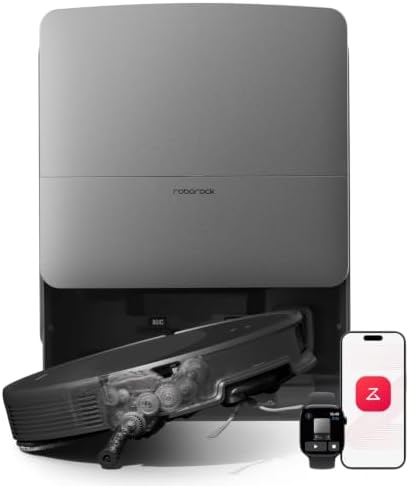
Roborock catalog example
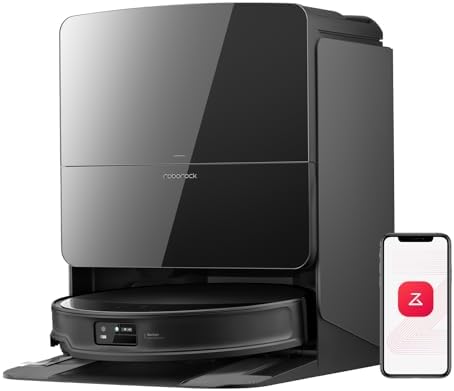
Roborock catalog example
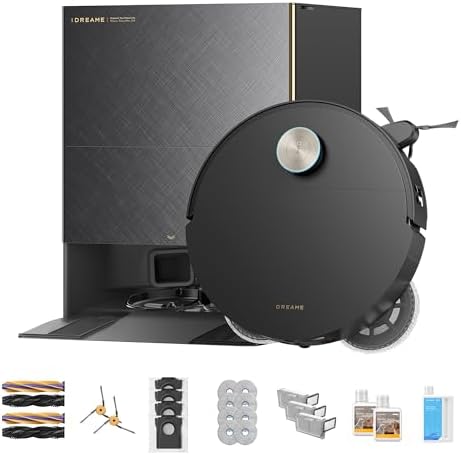
Dreame catalog example
Start here: the five-minute weak-suction checklist
When a robot vacuum is not picking up dirt, the cause is usually airflow or brush contact — not a failed motor. Work through this order before you buy replacement parts.
- Empty the robot bin and confirm the flap or latch closes fully.
- Check the dock bag or dustbin on self-emptying models; a full bag can leave debris in the robot after every run.
- Clean or replace the filter and let washable filters dry completely.
- Clear hair from the brush roll and side brushes so the roll can spin freely.
- Confirm suction mode and carpet boost in the app, then run one small room and watch the path.
Check the bin first
A full dustbin is still the most common reason a robot stops picking up. Empty it after heavy pet-hair days even if the app has not warned you yet. On models with an auto-empty dock, open the dock and inspect the bag or canister too — a full dock can make the robot look empty while pickup stays weak.
The filter is usually the next suspect
When the filter gets clogged, suction drops even if the motor sounds fine. Tap it out, clean it according to the manual, or replace it if it is not washable. Wet or damp filters also cut airflow, so make sure it is completely dry.
Clear the brush roll and side brushes
Hair and string wrap around the brush roll and stop it from spinning. Remove the roll, pull off every fiber, and check that it turns freely. Also check the side brushes, which can bend or stop spinning if debris is packed around their base. Pet households often need this step weekly rather than monthly.
Check the suction mode and carpet setting
Some robots default to a quieter mode that picks up less on carpet. Open the app and confirm the mode matches your floor type, and enable carpet boost if it is available. If you mapped rooms, make sure the map still matches the room and no no-go zone is blocking the dirty area.
Robot vacuum not emptying into the dock
If the robot finishes a job with a full onboard bin, or the dock never seems to pull debris, treat it as a dock airflow problem rather than a pickup problem.
- Empty or replace the dock bag/canister and reseat it until it clicks.
- Clear the dock chute and robot port of packed dust, hair, or a stuck wipe/paper scrap.
- Wipe charging contacts so the robot docks straight and the empty cycle can start.
- Check app alerts for bag-full, chute-blocked, or seal warnings, then run a manual empty if the app offers one.
- Listen for the empty cycle: if the dock stays silent, reseat the robot, restart the dock, and confirm the bag door is closed.
This pattern applies across common dock designs from Roborock, Eufy, Dreame, and Yeedi. Exact bag names and alert wording differ by model, so follow the on-screen prompt and the manual for your unit. VacuumTested has not published independent dock-empty measurements; this section is practical owner troubleshooting.
Multi-brand maintenance checklist when dirt is left behind
| Symptom | Check first | Then check |
|---|---|---|
| Dust lines left on hard floors | Bin full / filter clogged | Side brushes bent; quiet suction mode |
| Pet hair left on carpet | Brush roll tangled | Carpet boost off; worn brush roll |
| Bin still full after docking | Dock bag full | Chute blockage; robot not seated |
| One room always missed | No-go zone / stale map | Cliff sensors dirty; rug edge barrier |
| Loud running, weak pickup | Hair on brush bearings | Filter overdue for replacement |
Use the same checklist whether your robot is a budget self-empty model or a mopping combo. Brand apps label menus differently, but the physical parts — bin, filter, brush, dock bag, sensors — fail in the same order.
Look at the wheels and sensors
A robot that rides up on a rug edge or gets stuck can miss whole sections. Clean the wheels and cliff sensors, and remove any raised obstacles near rugs. If the robot reports an error, clear it in the app and watch the first run to see where it struggles.
Try this order: empty the robot bin, check the dock bag, clean the filter, clear the brush roll, confirm suction mode, then run one room and watch both pickup and the dock empty cycle.